Deserto.
How might we help students discover what they didn’t know to look for?
ROLE
Design
Lead
TEAM • 2 TERMS
4
DESIGNERS
5
DEVELOPERS
1
PM
DURATION
24 weeks
STATUS
Shipped
OVERVIEW
Every experience at Dartmouth.
All in one platform.
Dartmouth invests heavily in outdoor programs, events, and rentals — but students rarely benefit. The problem wasn't that students didn't care. Information was scattered across obscure official pages, invisible unless you already knew where to look.
Deserto is a centralized discovery platform where students search by activity or schedule and immediately find things to do, surfacing resources that were always there, just impossible to find.
Design System
Research Synthesis
Information Architecture
Systems Mapping
User Testing
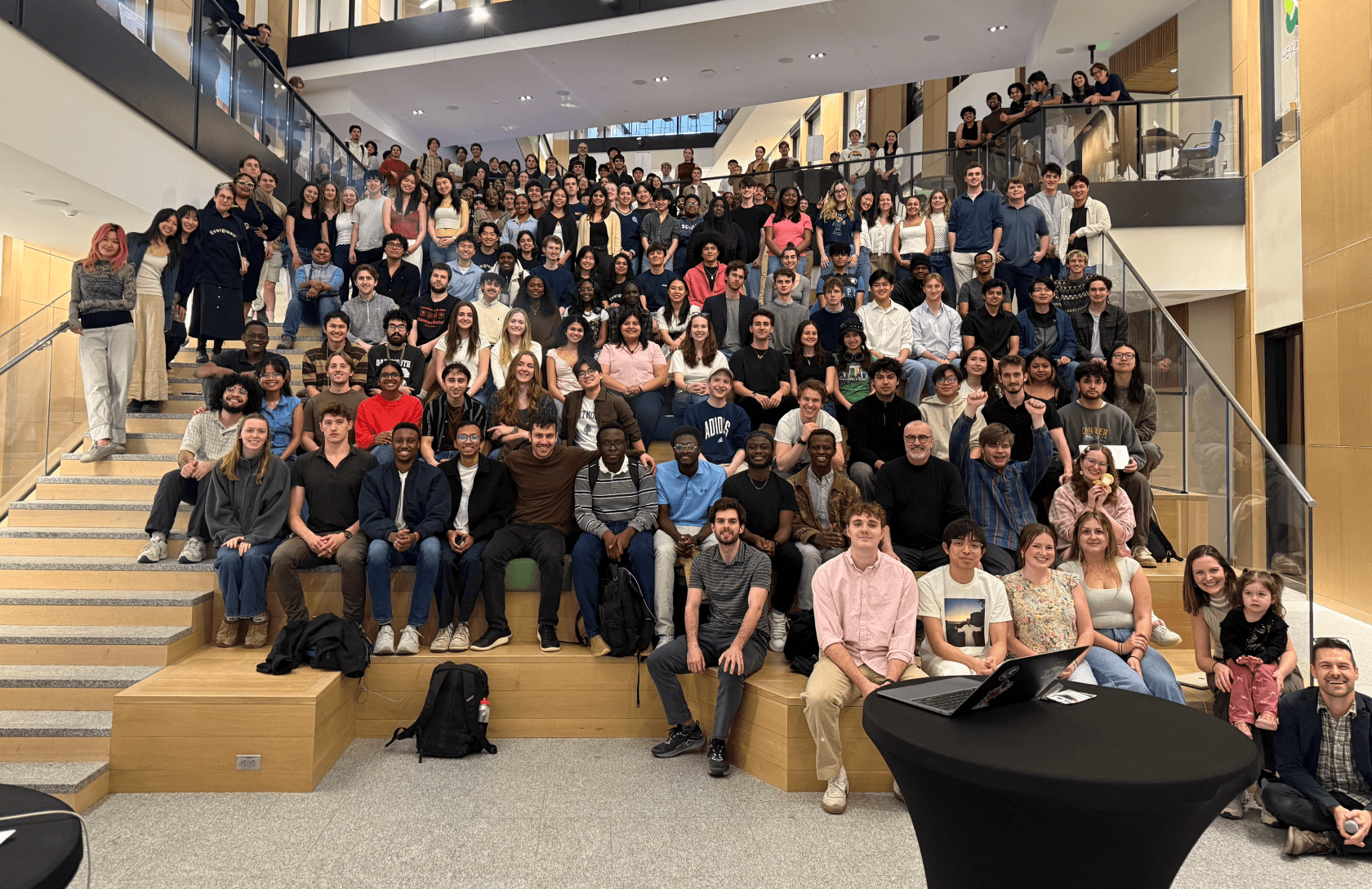
our team presented at technigala! that’s me right there!
SHIPPED THIS TERM
Deserto,
live.
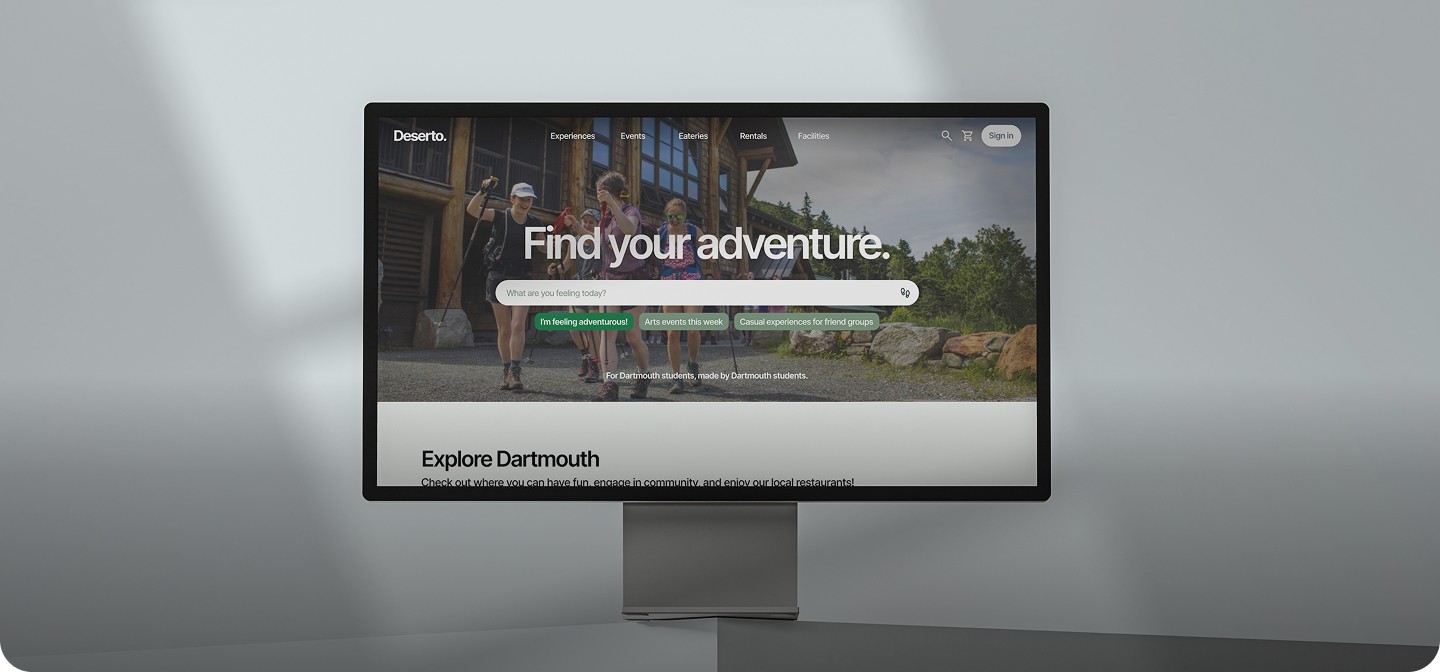
Deserto is a centralized discovery platform that helps Dartmouth students find outdoor activities, campus events, rentals, and eateries — all in one place.
This term we launched a fully revamped design and experience, expanding well beyond what existed before. School-backed and institutionally funded, the platform is set to be introduced to incoming students as a benchmark resource for campus life at Dartmouth.
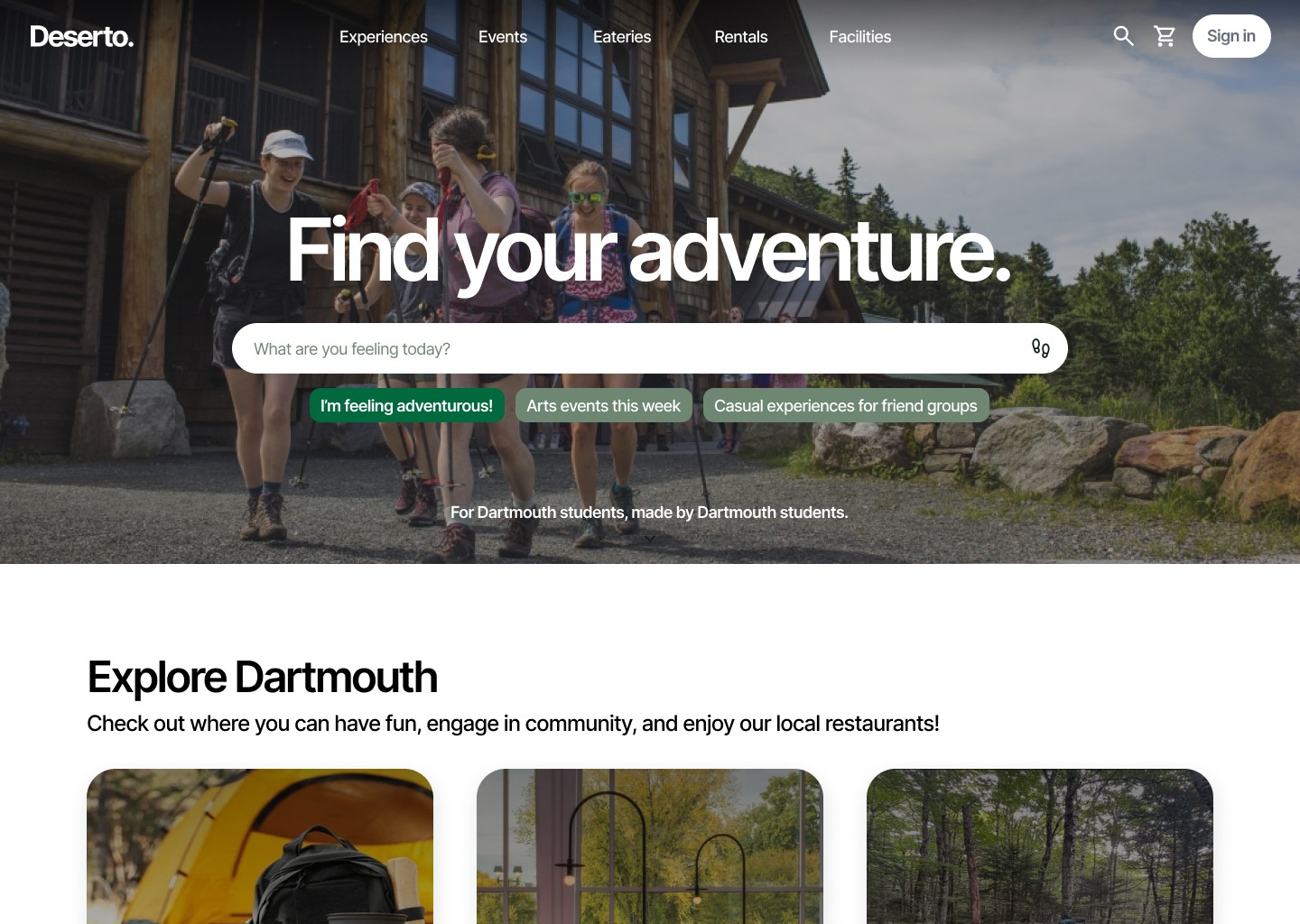
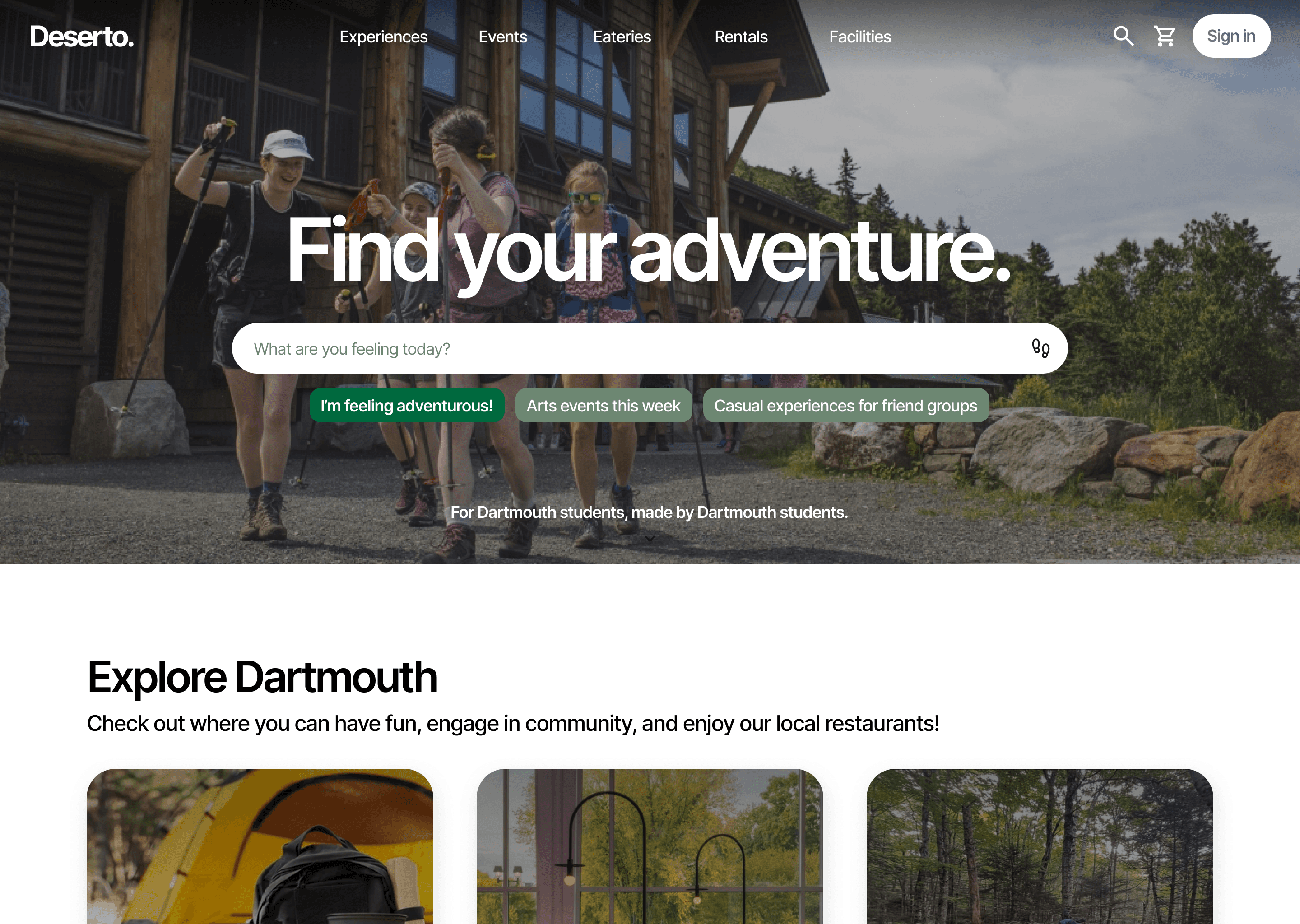
LANDING HERO
Search-first entry with contextual prompt suggestions. Students can act immediately or scroll into the decision funnel below.
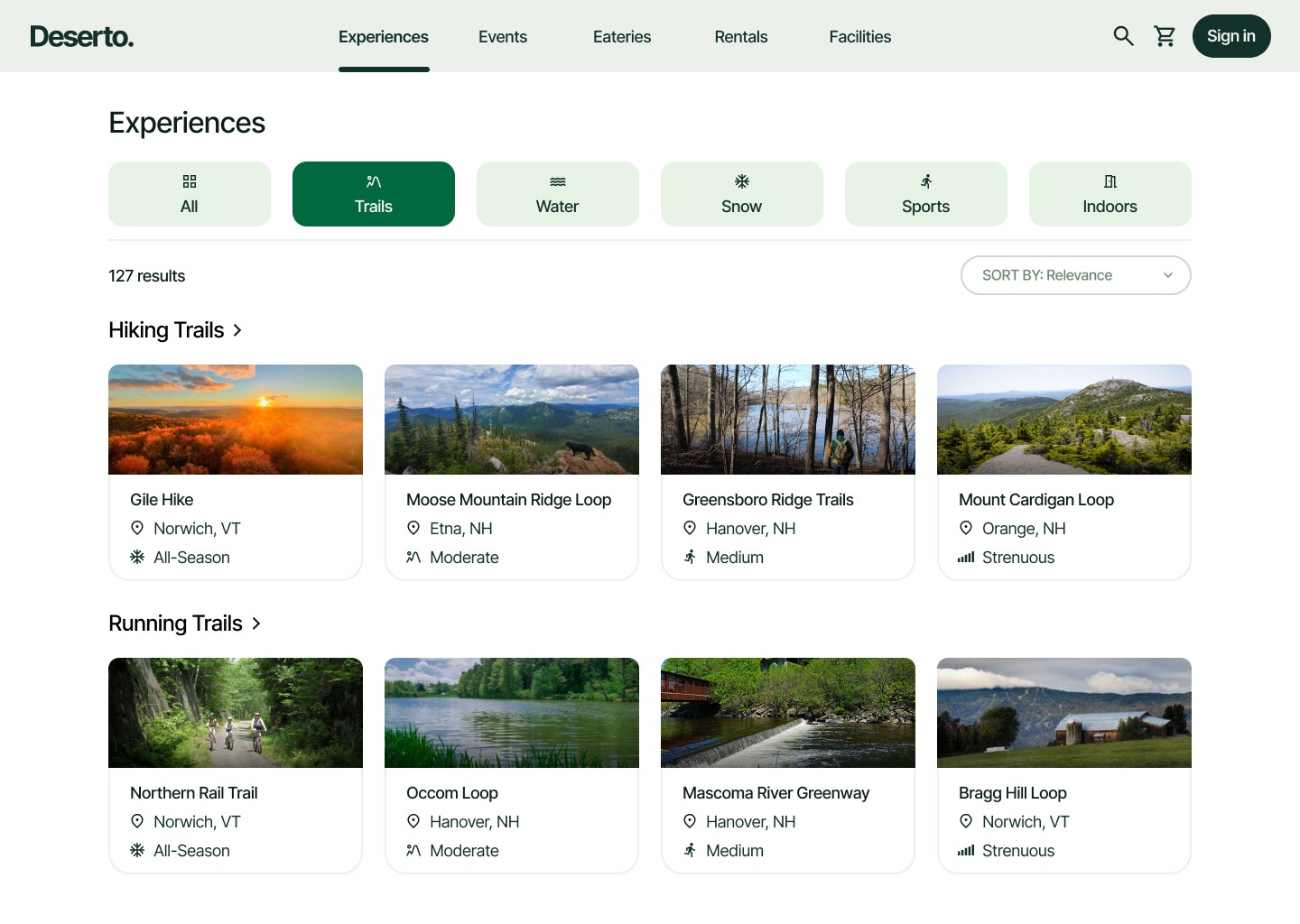
ACTIVITIES GRID
Category filters and grouped card listings make it easy to browse by activity type even when you don’t know what you want.
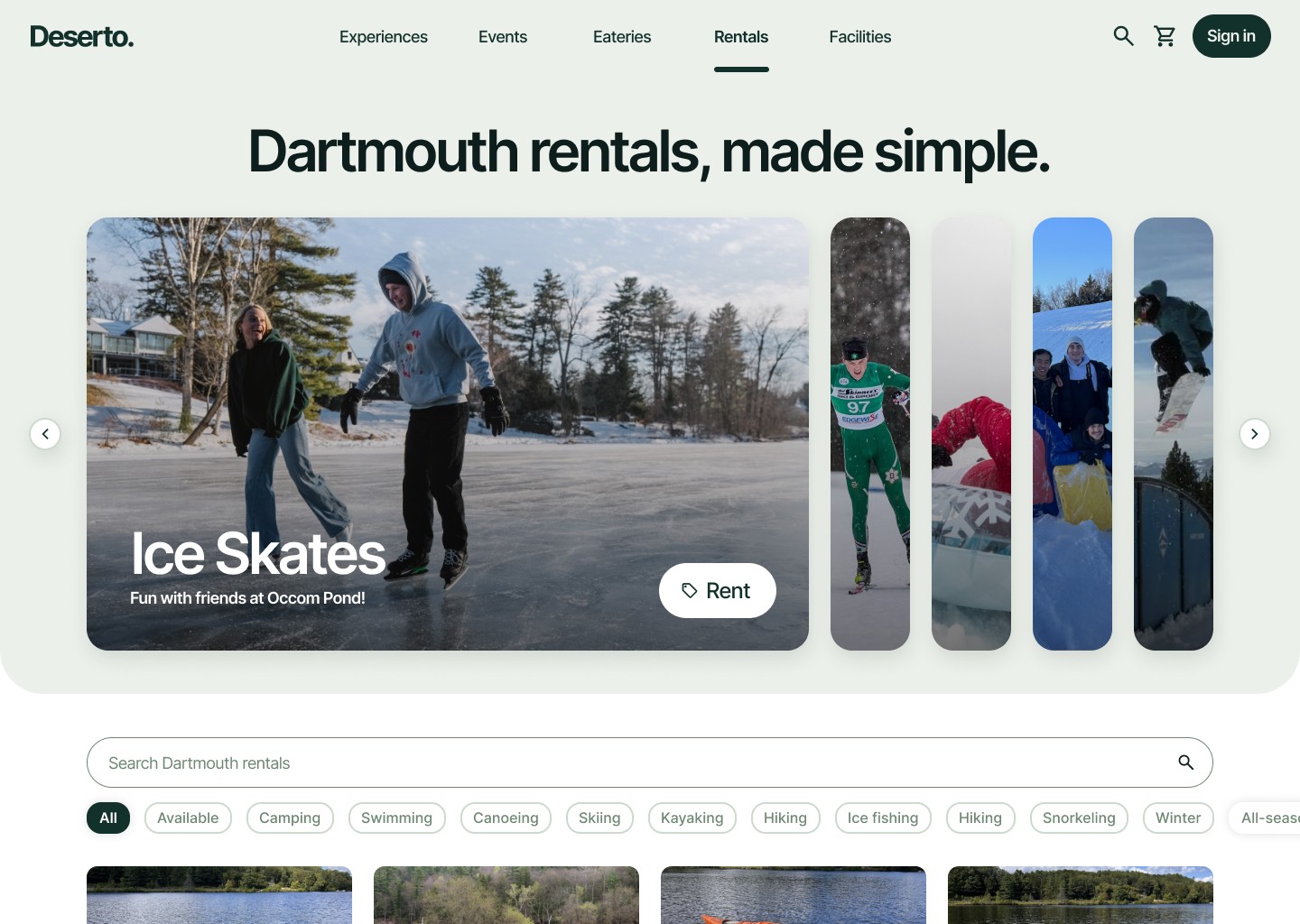
RENTALS HOME
In-season carousel, search, and tag filtering surface what's available and relevant right now. Checkout flows directly from this page.
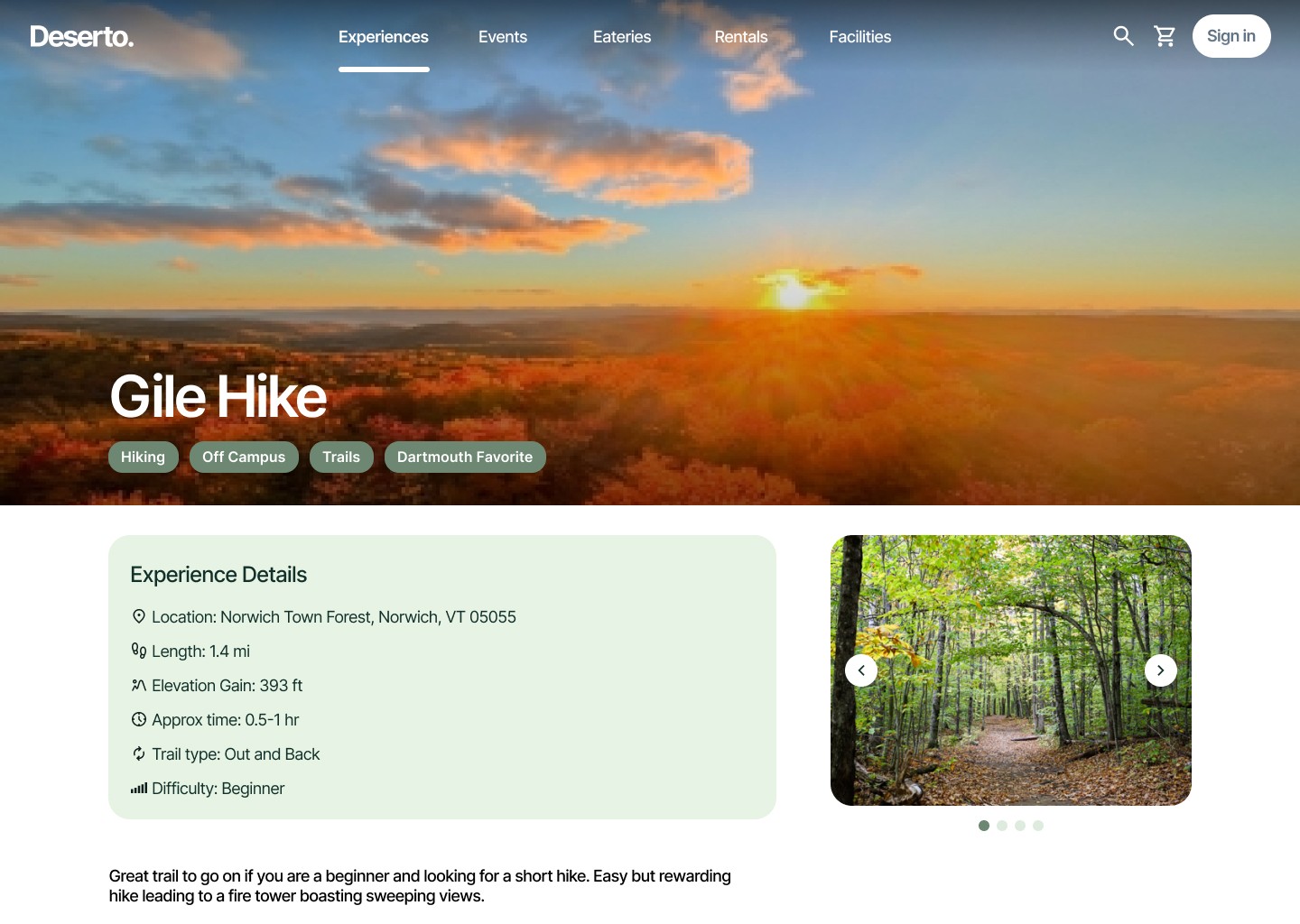
DETAILED ACTIVITY
A cover image, structured details, and a photo carousel let the activity speak for itself — so students can easily assess and decide.
PROJECT CONTEXT
How it all
started.
Dartmouth already had the events, the gear rentals, the outdoor programs.
The issue is that many organizations had their own website that hosted their information. Event information was scattered in emails, random obscure college sites, and blogs. Official college resources were the same story.
Students couldn't discover what they didn't already know to search for.
How might we design a
discovery platform that surfaces
Dartmouth's resources to students who
don't know what they're missing?
DESIGN PROCESS
01
Research & Synthesis
Stakeholder interviews and systems mapping to define the real problem.
02
Information architecture
Full content structure: navigation, search taxonomy, and filter logic, before touching visual design.
03
Redesign & Testing
Ground-up rebuild of visual language and experience flows — informed by research.
04
Implementation
Engineer-ready specs with continued involvement through build to ensure fidelity.
USER RESEARCH
We thought we knew the problem.
Students told us otherwise.
Reframing our ideas
We came in assuming awareness was the issue — that students just didn't know enough about what Dartmouth offered. Interviews told a different story. Students weren't passive or disinterested. The system was working against them.
Competitive analysis
We benchmarked existing discovery tools to understand what patterns enabled students to find campus offerings.
Stakeholder interviews
We held semi-structured interviews with both students and higher-up staff running Dartmouth organizations.
Systems mapping
We mapped the information ecosystem — surfacing why resources weren't reaching the students they were built for.
Insight synthesis
After 18 interviews across all class years, we affinity-mapped our data to surface what was actually driving the gap between resources and students.
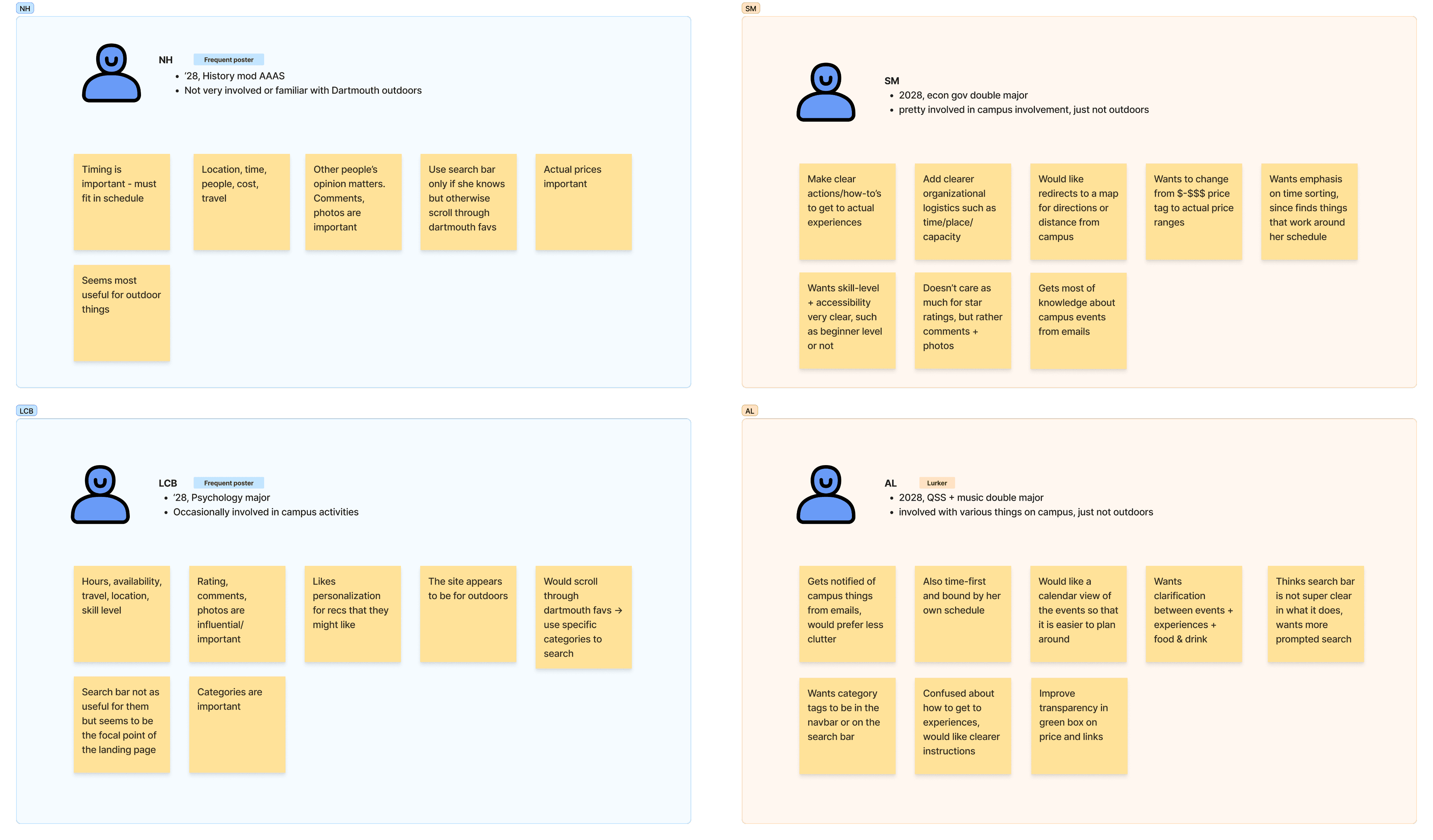
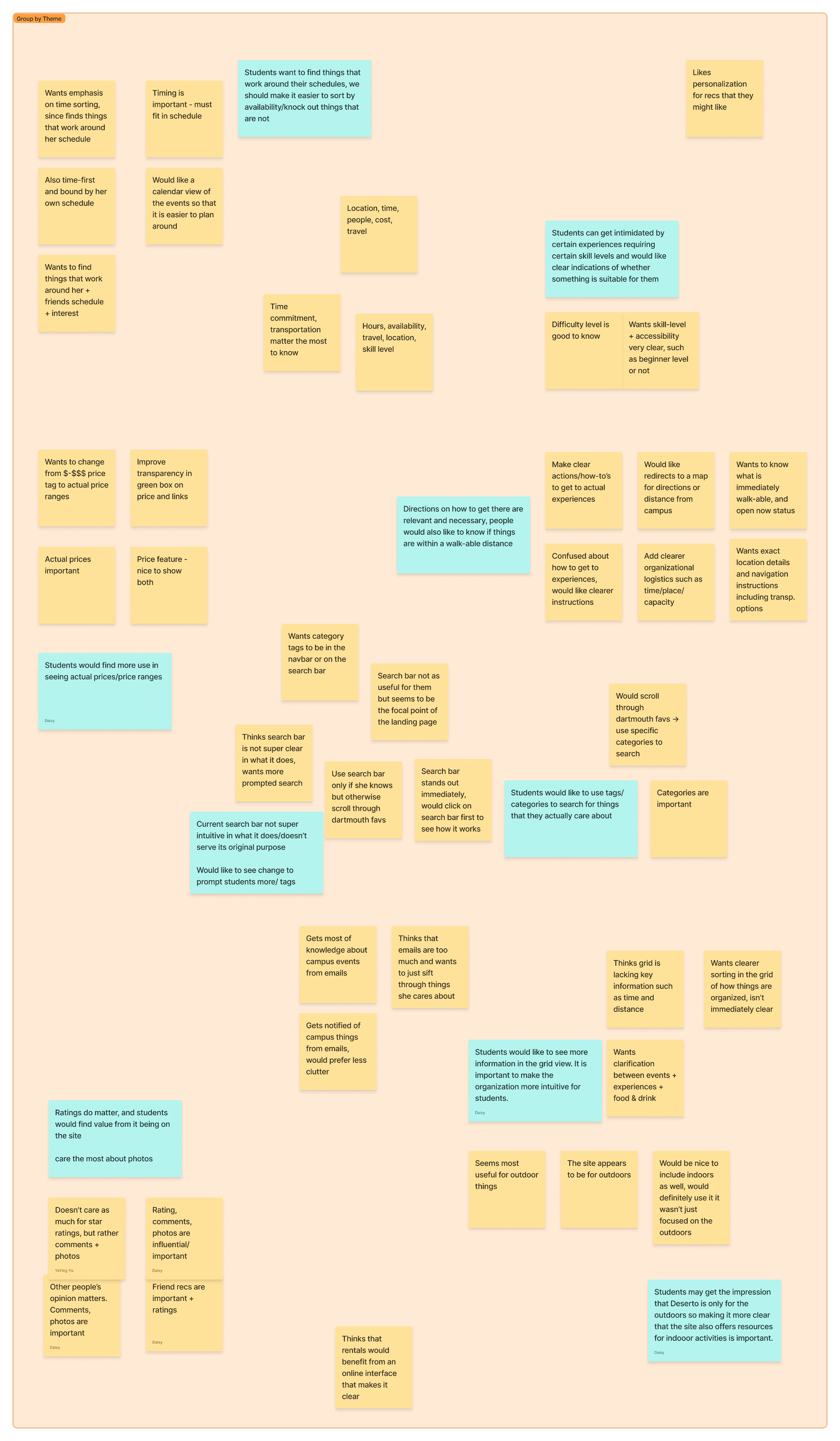
A small section of our user research mapping, pulling insights from interviews, and affinity mapping to find quick fixes for the current platform.
KEY FINDINGS
Discovery was entirely passive:
email, word-of-mouth, or nothing.
Every student out of the 18 we spoke to wanted to do more on campus. Not one said they weren't interested. The barrier was entirely structural.
88%
Discovered via email
Students don’t actively look — most events and things to do they found out through their email.
100%
Relied on word-of-mouth
It makes sense — it’s much easier to rely on someone who has already been in your shoes.
100%
Prioritized schedule fit
Students wanted to participate — but did it fit into their already busy and stressful schedules?
Marketing ≠ Visibility
Dartmouth was broadcasting loudly. Students still weren't receiving. The channel was broken, not the content.
Students trust students
Word-of-mouth was a reliable discovery mechanism. Any solution needed to bake in social trust.
Availability is king
Students didn't say
"I don't want to go," instead, they said
"That doesn’t fit my schedule."
Design principles
Research gave us four clear design principles. Every UI decision was to trace back to each one of these.
ACCESS
Schedule-aware filtering
100% of students said availability was the deciding factor. Time-based filtering was a core requirement, not a feature.
CONSOLIDATION
One home for everything
Events, outdoor rentals, and leisure activities, previously all scattered, now unified in one place.
TRUST
Community built in
Students trusted word-of-mouth above all. The platform shows social signals alongside listings.
EXPLORATION
Browse by interest
You can't search for what you don't know exists. Browsing by interest makes the unexpected findable.
PROBLEM & PRODUCT REFRAME
We came in with initial assumptions.
Research pivoted our product vision.
We assumed the fix was better marketing. Students pushed back on that in every interview. They weren't hard to reach — the information just never reached them in a way that was useful.
And so, our design challenge shifted from
"How do we tell students about resources?" to
How might we build a platform for students to find resources?
BEFORE
Students don't participate because they aren't aware of what's available.
REFRAMED
Students lack a centralized, trustworthy way to browse events and resources that align with their interests and schedules — causing reliance on fragmented sources that compromise engagement
Information architecture
Before touching a single frame, the team spent several hours auditing the existing platform — mapping every content type, user flow, and navigation path against what students actually needed. The goal was to understand where the old structure broke down and make deliberate decisions about how the new one should work.
Key decisions included how to categorize content that spans multiple types, where schedule filtering lived in the hierarchy, how the rentals flow worked end-to-end across cart, waiver, and inventory states, and how admin and student-facing views related to each other.
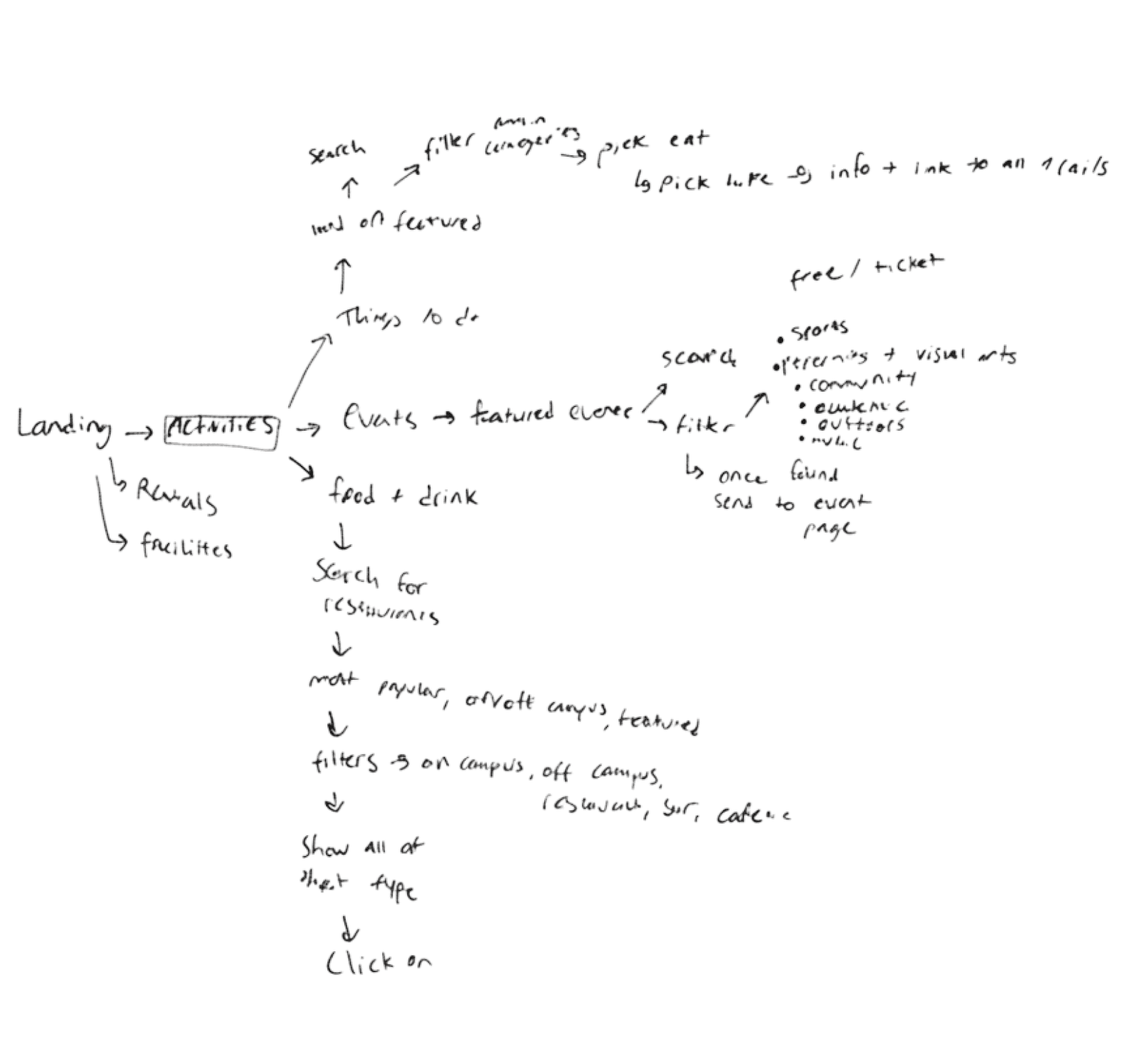
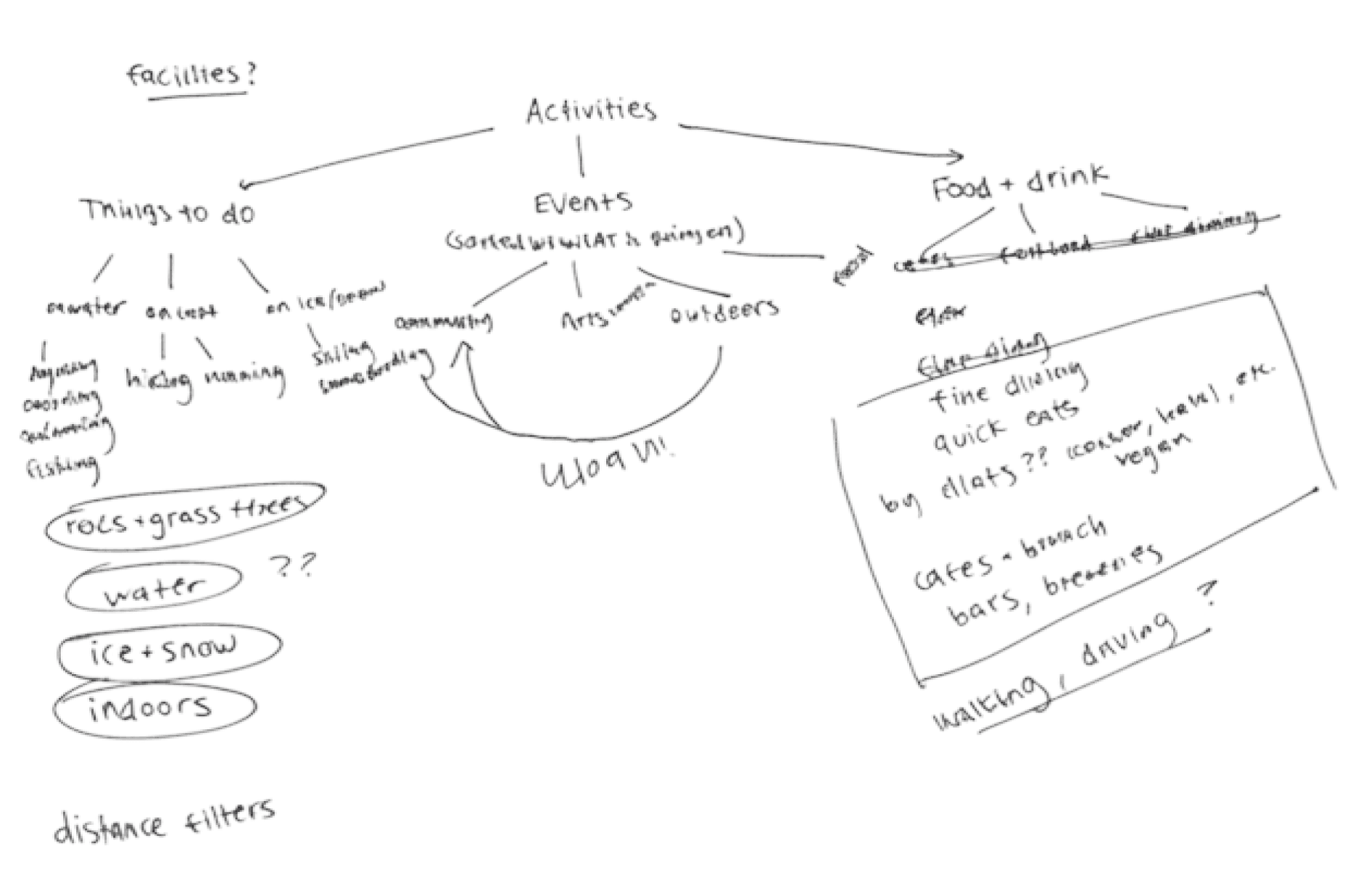
Some early ideations from our tree mapping activity I facilitated with my entire team— developers included.
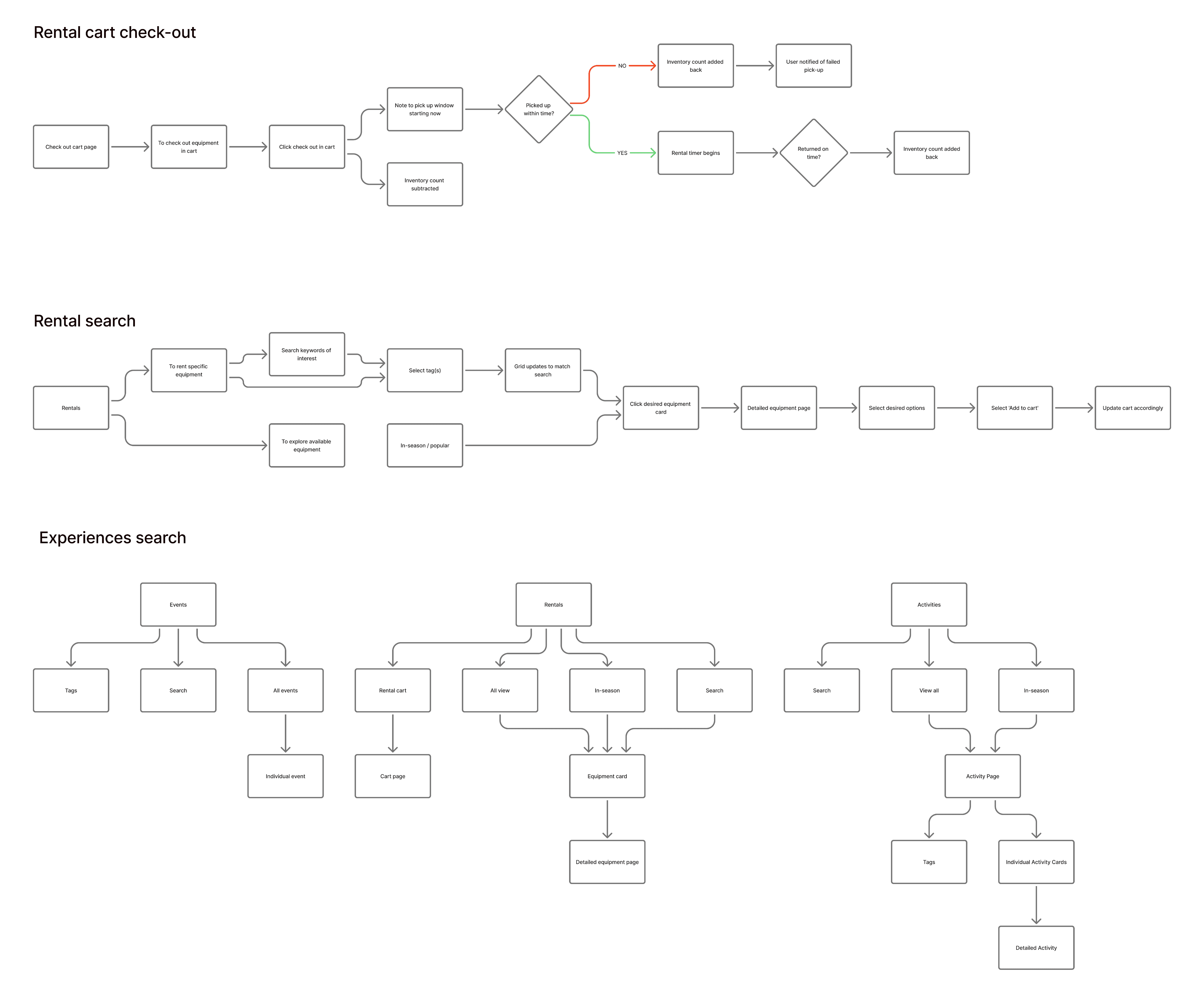
Simplified version of user flows and sitemaps that we created during the discussion.
DESIGN REVAMP
The revamp:
visuals, structure, and experience.
The existing design gave us a clear picture of where to go next. Eight semi-structured user testing sessions surfaced what wasn't working — visual choices that felt dated, navigation patterns that confused students, and a structure that buried the content it was meant to surface. Those findings shaped every decision in the revamp, from simplifying an overwhelming Explore section to putting search front and center.
The platform we inherited had the right content — but the design was working against discovery rather than enabling it.
WHAT WE INHERITED
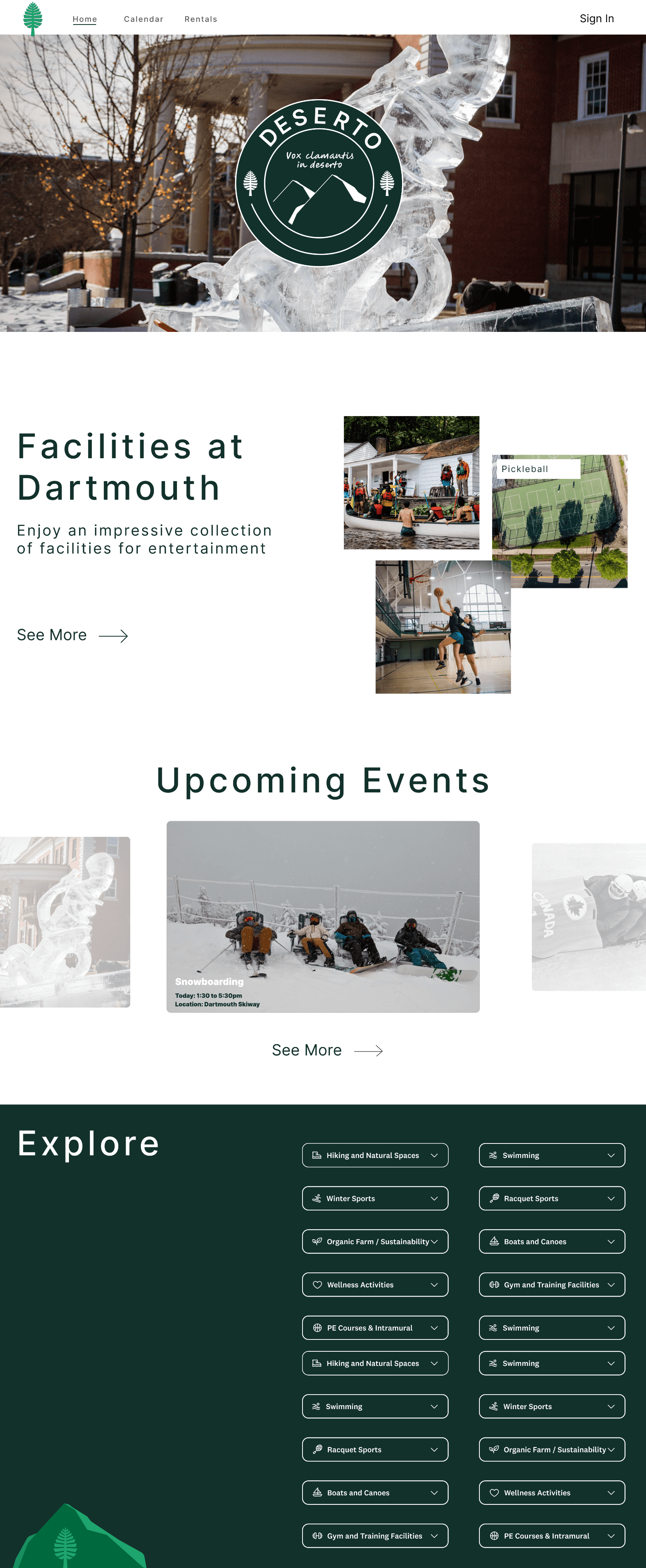
No search or immediate CTA
The hero was an animated image scroll with a logo. Students had no way to act immediately — no search bar, no entry point beyond scrolling down.
Too much telling, not much doing
Sections like "Facilities at Dartmouth" described what existed rather than letting students interact with it directly. See more’s action was visually ambiguous in that users were confused what to do.
Unreliable text handling in photo-heavy components
Different photos have varying levels of brightness. This version of text handling was unreliable and not accessibility-friendly.
Explore section was overwhelming
The dark explore section surfaced every category at once in a dense grid with no hierarchy — creating choice paralysis instead of enabling discovery.
Visual language felt outdated
The inconsistent type scale, muted palette, and mixed layout patterns didn't feel cohesive or polished.
WHAT WE SHIPPED
Search-first entry
A prominent search bar with contextual prompt suggestions replaced the passive homepage — enabling students to act immediately if they choose to do so.
Progressive decision funnel
Each section is a fallback — Explore by category, then Upcoming Events, then What's Popular. Students finds something regardless of how specific their intent is.
Focused navigation
Five clear top-level sections — Experiences, Events, Eateries, Rentals, Facilities — replaced the sprawling Explore dropdown grid. All activities in Explore were organized into specific categories as a dropdown.
Cohesive visual system
A clean, consistent design language built on strong typography, rich photography, and a component library designed for engineer handoff.
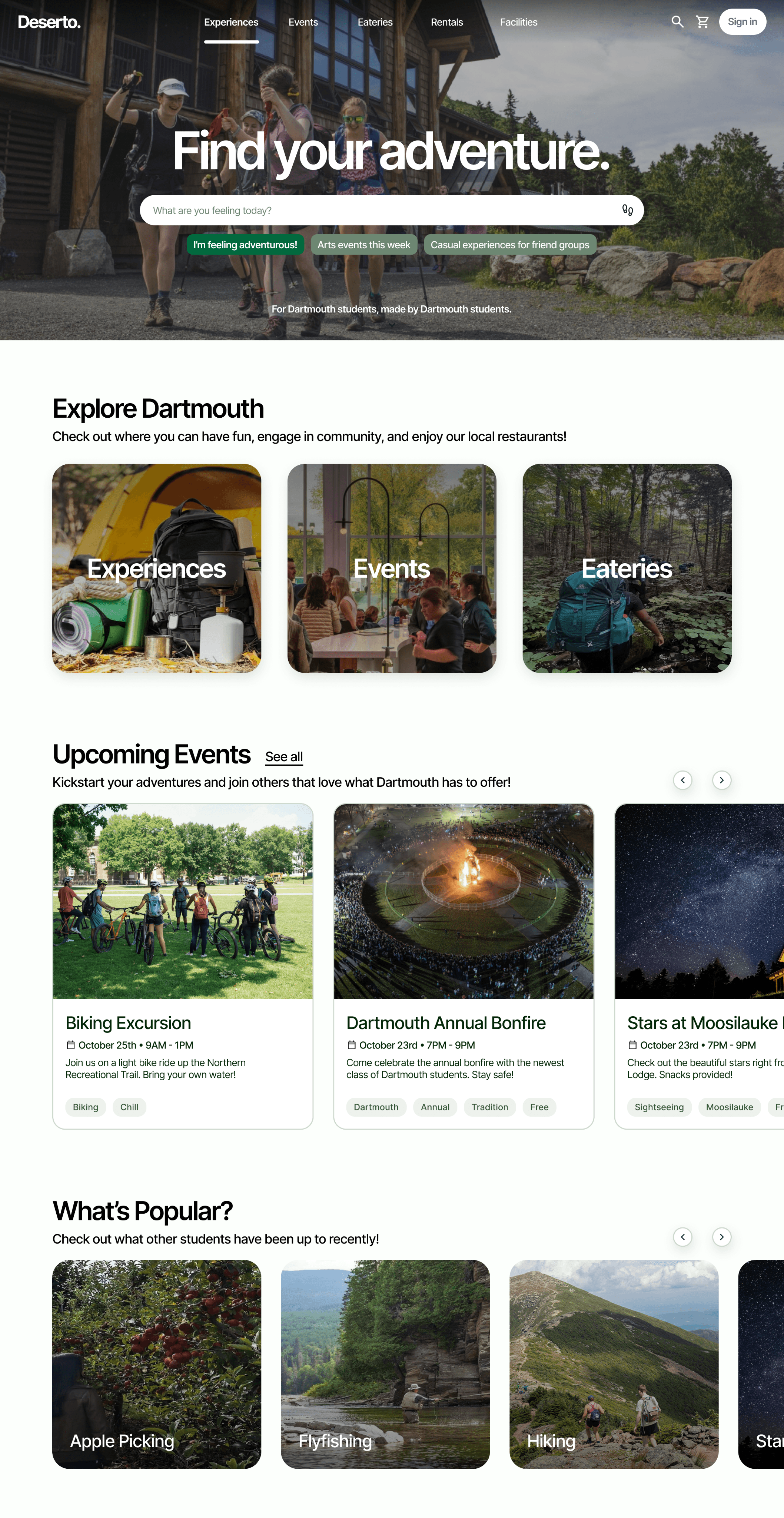
WHERE IT ALL COMES TOGETHER
So a decision can be made at
every step.
1
HERO
Know what you want? Search it.
A prominent smart search with contextual prompt suggestions gets students to act immediately.
If you already have something in mind, you’ll get to where you want through a few taps on the keyboard.
2
EXPLORE
Not sure? Browse by category.
Experiences (trails, water, snow, sports, indoors), Events, and Eateries nearby — three clear entry points that let students narrow by the type of thing they're in the mood for, without already knowing the specific activity.
3
UPCOMING EVENTS
Want something time-bound? Here's what's coming up.
For students who respond to deadlines — surfacing events that are happening soon gives a reason to act now rather than come back later.
4
WHAT'S POPULAR
Still undecided? See what other Dartmouth students have been up to.
The last fallback — and the most powerful for passive discovery. Students trusted word-of-mouth above all else. This surfaces social proof without requiring anyone to ask.
DESIGN SYSTEM
Not built just to ship, but
to scale.
Before writing a single component, we built a shared system that the entire cross-functional team — designers and engineers — could work from. No reworking what was already done when we transferred design to code. Every token, state, and icon was defined deliberately, so what shipped matched what was designed.
STYLE LIBRARY
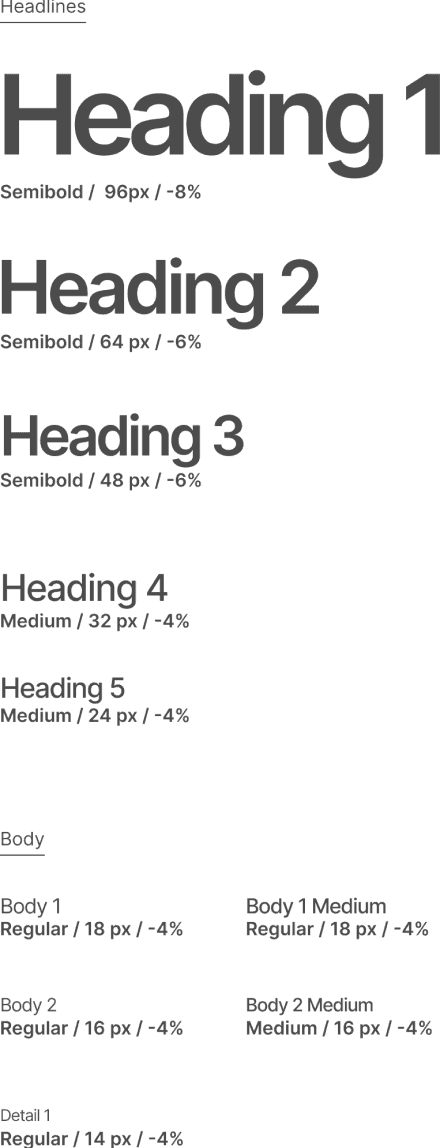
GREENS

MUTE GREENS
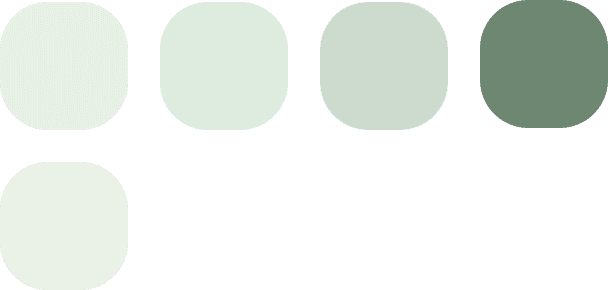
NEUTRALS + ACCENTS
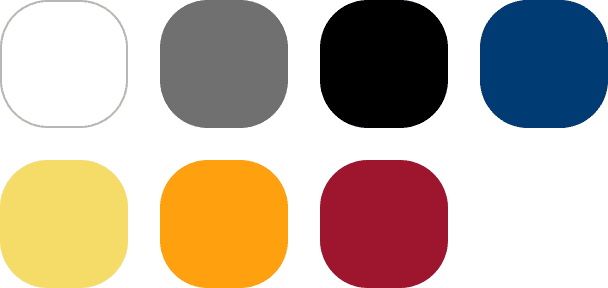
Typography scale (H1–H5, body variants, detail 1) and full colour palette defined as named variables — applied consistently across every component and screen
COMPONENT LIBRARY
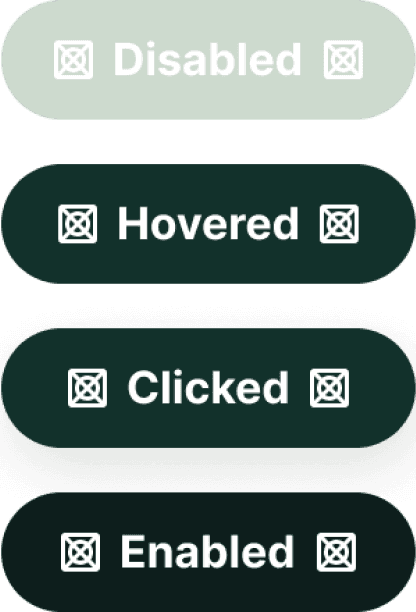
DARK
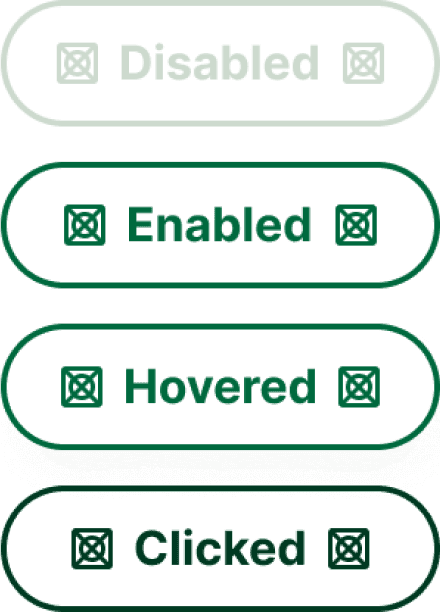
GHOST
TAGS
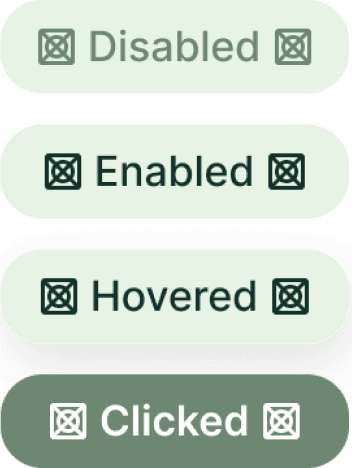
Button and tag variants by color and interaction state. Full documentation to reduce friction at handoff.
BRANDING + NAVIGATION
LOGO
Deser to.
NAVBAR - LIGHT

NAVBAR - DARK

CARD DESIGNS
Updated branding style.
Navigation documented in 4 modes: opaque/gradient × light/dark.
Simple, information-packed cards.
Built alongside developers over two terms — every component includes all interaction states to eliminate ambiguity at handoff. The best specs are written by someone who has watched their designs get built.
FEEDBACK & ITERATION
Students gave us exactly what
we needed to hear.
We ran semi-structured feedback sessions and synthesized responses for designs. We looked for patterns in what worked, what confused, and what students wanted that we hadn't thought of.
A lot of student preferences came up once they had something real to react to — not in earlier interviews, but in hands-on testing.
Here is a selection of changes we made based on feedback:


SITE-WIDE SEARCH
Moved page specific searches to a global smart search in the hero section and navigation bar
We compared a randomized order of the old and new flows to users, having them play around with prototypes and a then-implemented version.
WHAT WORKED
Students loved that they could type anything — it felt more like how they'd actually think about finding things to do.
THE FRICTION
Too many results without enough filtering made the experience feel overwhelming rather than helpful.
OUR OPPORTUNITY
How might we strengthen the search capability without constricting the variety of results it provided?
WHAT WE DID
We implemented search suggestions on the home page and enabled selections for specific result types. For delight, we added a “I’m feeling adventurous” button that led to a random detailed result page for curious students who wanted to try something new.
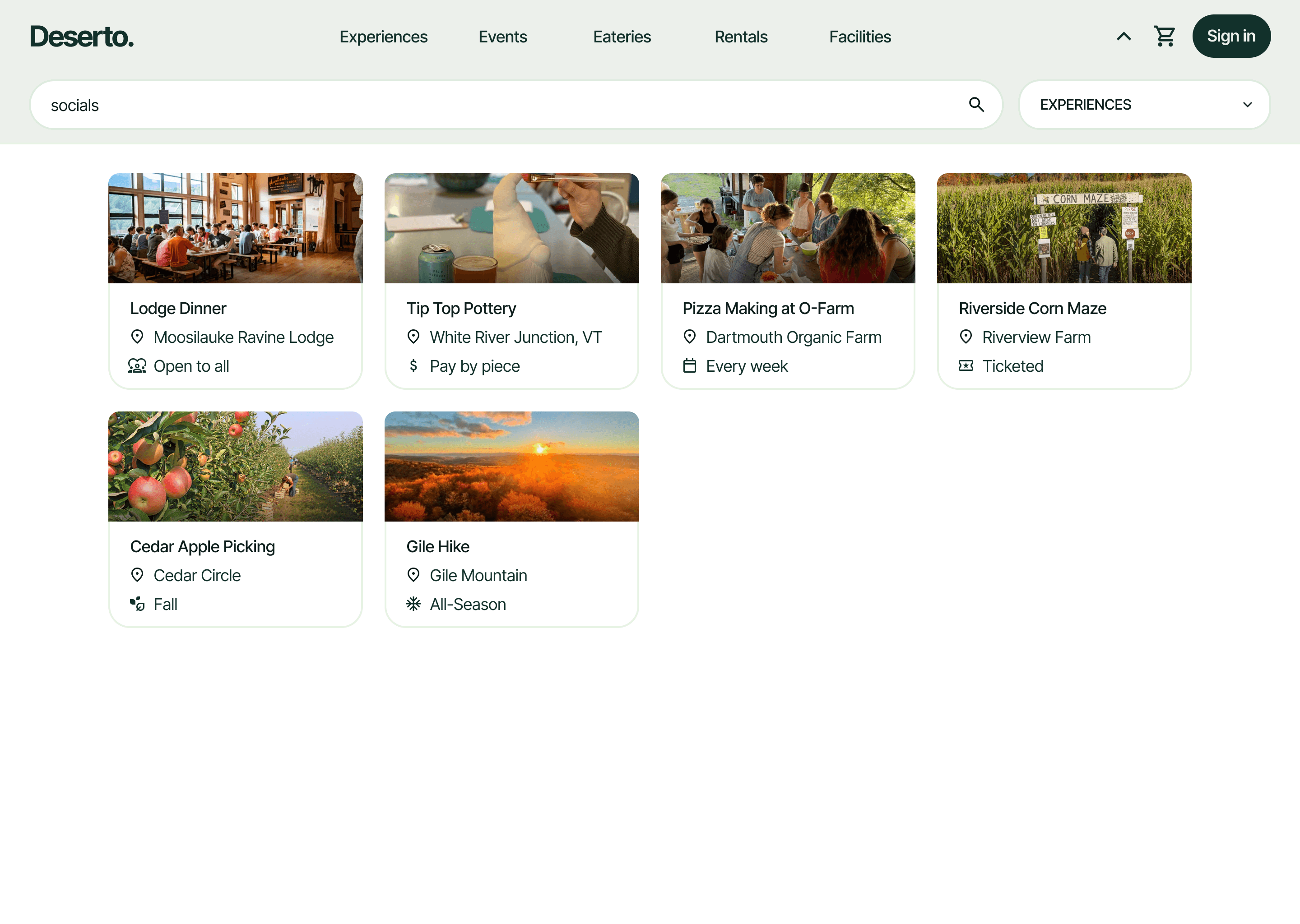
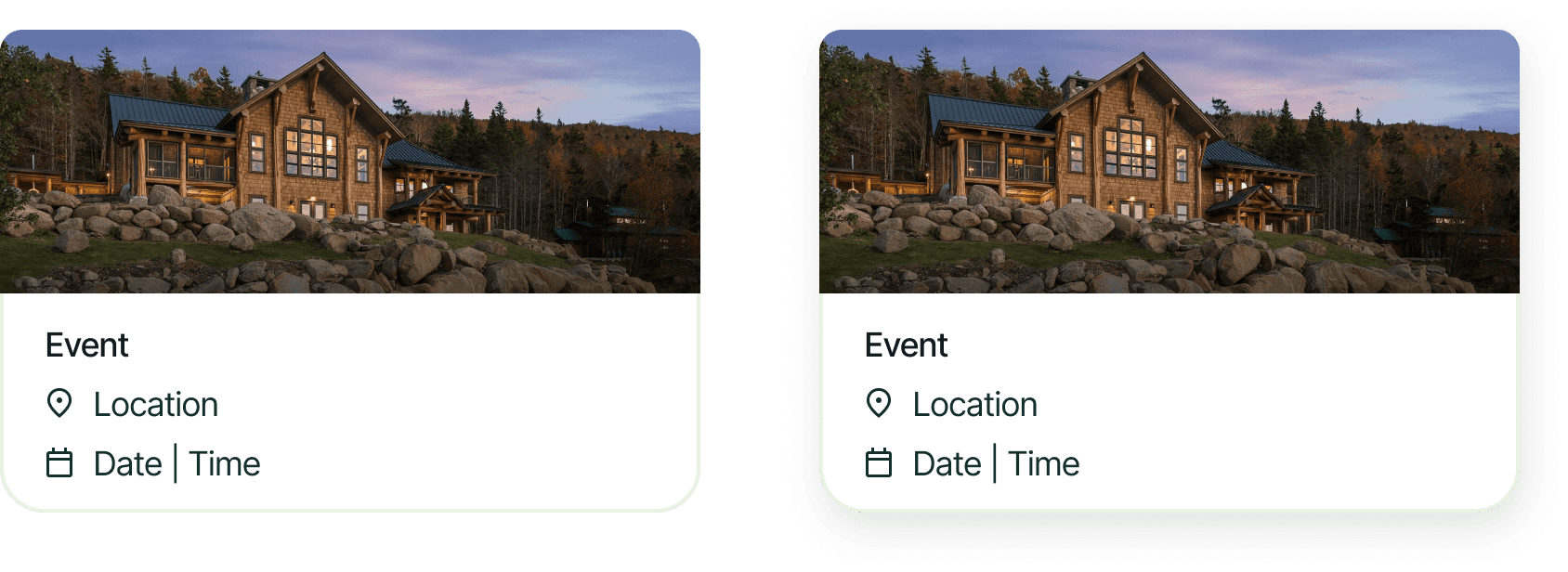
RESULT CARDS
Updated result cards for experiences, events, and eateries to be more info and space-efficient
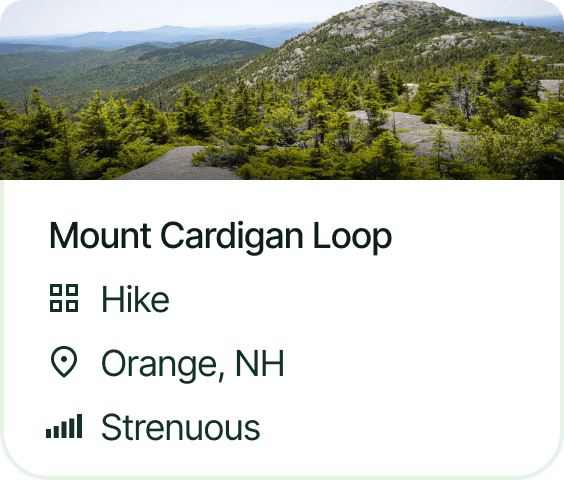
We tested multiple iterations of cards, altering various elements. Below are a small variation of cards we presented and tested with users.
WHAT WORKED
Students loved seeing multiple options on one search and quickly scanning through before deciding on what worked for them.
THE FRICTION
Older cards had either limited information that didn’t help users decide on engagement or too much information.
OUR OPPORTUNITY
How might we improve results cards by providing useful info to help for search scanning without too much clutter?
WHAT WE DID
We landed on two in-context descriptors and a small preview of an image for each result card. Descriptors varied from activity to activity, ranging from restaurants’ cuisine and location to an event’s time and spot on campus. The purpose of these cards was to make available choices to students scannable, while enabling them to easily make a choice with the shortest description possible (image, title, 2 descriptors).
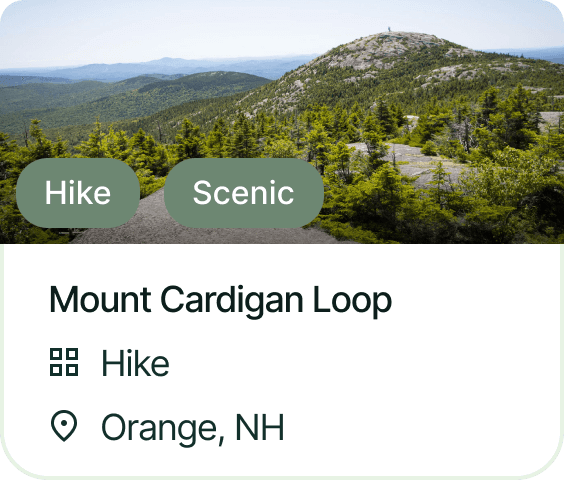
Tags provided not enough info and took up too much photo space, which made the image obsolete
Too many descriptors caused too much visual clutter in grid, causing analysis paralysis.
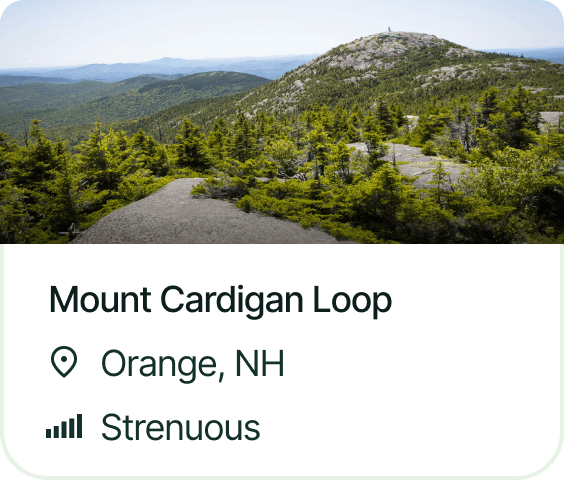
Card has visuals, and enough descriptors for users to decide whether they would click.
DESIGNER-DEVELOPER COLLABORATION + HANDOFF
Every interaction documented
for building.
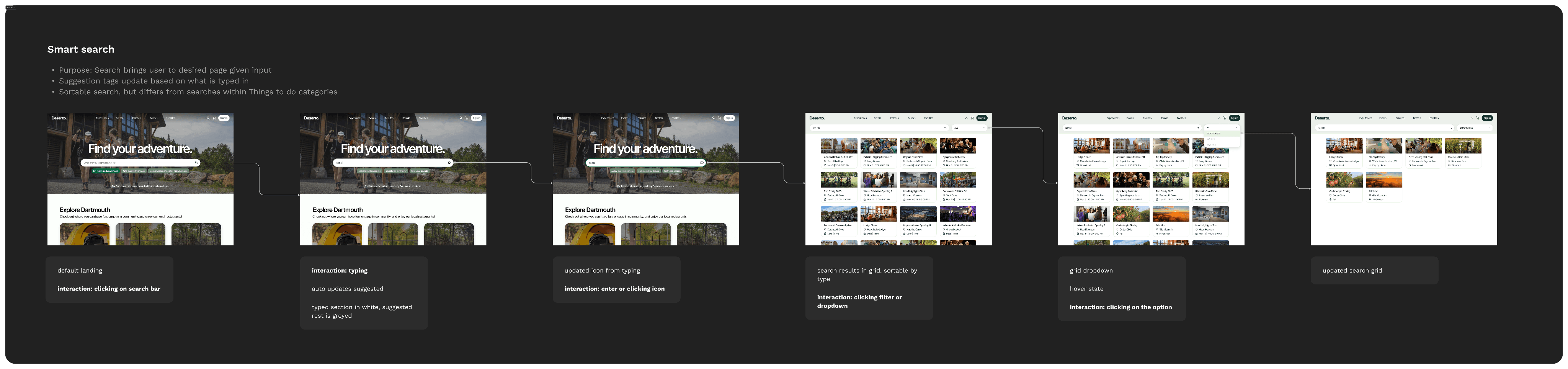
We held regular check-ins with developers throughout the build — reviewing specs together, catching implementation gaps early, and adjusting designs when constraints came up. This documentation was the foundation for those conversations.
Here’s an example of handoff documentation with the Smart Search implementation.
PROJECT CONTRIBUTIONS
End-to-end ownership —
from research to shipped product.
Led a full UI and UX revamp across a 10-person cross-functional team over two terms. Drove research, rebrand, and IA — then stayed involved through implementation to make sure what shipped matched what was designed.
Full UI + UX revamp
Not a visual polish — a ground-up redesign of both the experience and visual system, grounded in research.
Engineer-ready specs
Complete design hand-off with continued involvement through implementation to ensure fidelity.
Shipped & implemented
A complete product delivered and live for Dartmouth students, from initial research through final build.
LEARNINGS + TAKEAWAYS
What this project
taught me.
Push back before you build, not after
Our partner asked for a social media-style posting feature. We disagreed but weren't confident enough to push back — so we spent two weeks shipping something we knew wouldn't land.
The harder conversation should have happened at the start: who is this for, and what does success look like? As a junior designer, asking the right question early is far more valuable than quietly shipping the wrong thing.
The feature that matters most is the one that survives the question "why are we building this?"
Commit to something and refine it — don't restart
We had a four-hour team meeting trying to agree on navigation categories for Experiences. Every suggestion led to a new debate and we kept starting from scratch. I made the call to pick one direction and move forward. From there, we had something concrete to react to — and the conversation became useful. Iteration only works when there is something to iterate on.
A decision you can refine is more valuable than a perfect decision you never make.
Design for the handoff you actually have
Working closely with developers over two terms changed how I spec. Tight schedules mean not every detail survives the gap between Figma and code — so I started making deliberate choices about what needed to be preserved exactly and what could flex. That is a different skill than just designing well. It is understanding what fidelity means in practice, not in principle.
The best specs are written by someone who has watched their designs get built.